
Planning a site revamp? Use our complete website redesign checklist to improve SEO, boost user experience and launch your new site without any stress.
Following a website redesign checklist helps you avoid costly mistakes. It gives you a clear roadmap from your first planning session to the final launch day. A good plan keeps your project on track and protects your hard earned traffic.
In this guide we will walk you through every step of a successful site revamp. You will learn how to audit your current content, protect your search engine optimization and create a better user experience. We will also show you how the expert team at https://alfaorigin.com/ can handle the heavy lifting for you.
Why You Need a Website Redesign Checklist
A website redesign is much more than a fresh coat of paint. It impacts how customers find you, how they interact with your brand and whether they buy from you. Without a checklist you risk skipping vital technical steps.
For example forgetting to set up page redirects can destroy your search traffic overnight. Failing to test mobile responsiveness can drive away half of your visitors. A checklist forces you to slow down and consider every detail.
Using a checklist also keeps your team aligned. When everyone knows the timeline and their specific tasks the project moves faster. It turns a chaotic overhaul into a smooth step by step process.
Phase 1: Plan Your Redesign Strategy
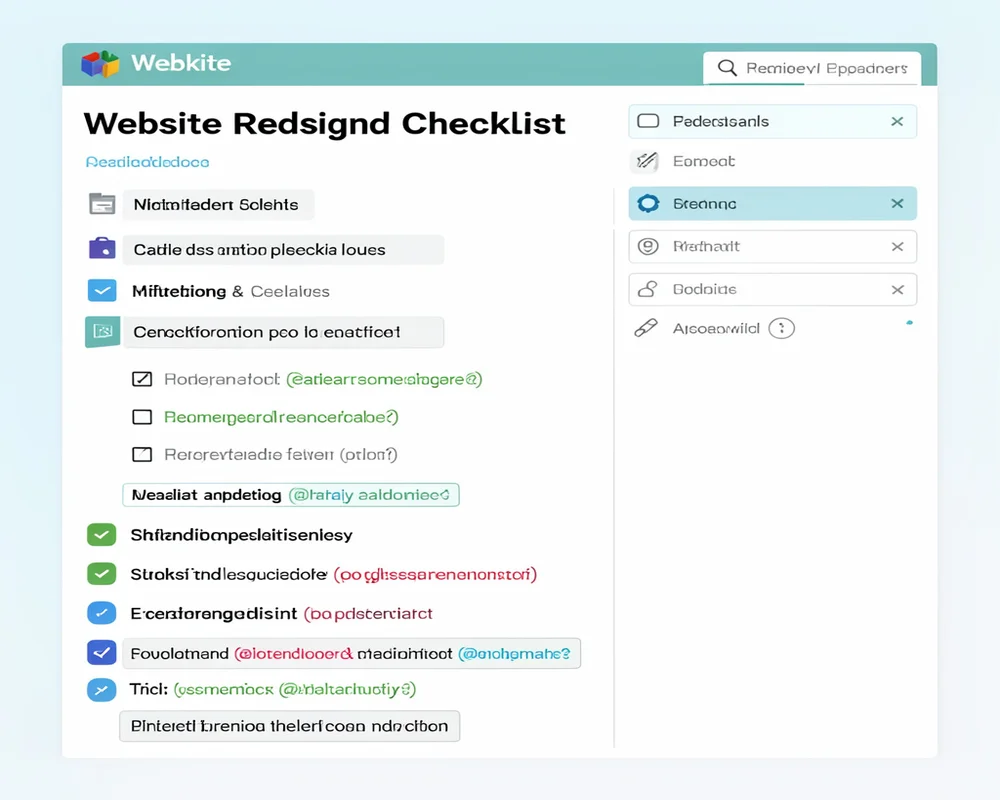
Every successful project begins with a solid plan. Before you look at color palettes or new fonts you must define your goals.
Benchmark Your Current Performance
You cannot measure success if you do not know where you started. Look at your current website analytics. Find out how many visitors you get each month. Check your bounce rate to see how quickly people leave your site.
Identify your most popular pages. Note which pages drive the most sales or capture the most leads. You want to protect these high performing assets during the redesign. Write down these baseline numbers so you can compare them after your new site goes live.
Set Clear Business Goals
Why are you redesigning your site? Your answer should guide every decision you make. Maybe you want to increase monthly sales by twenty percent. Perhaps you need to generate more email subscribers.
Set specific measurable goals. Do not just say you want a prettier site. State that you want to reduce the checkout time by thirty seconds. Clear goals help you choose the right features and layouts later in the process.
Conduct a Content Audit
Review every piece of content on your existing site. Create a spreadsheet listing your blog posts, service pages and product descriptions. Decide what stays, what goes and what needs an update.
Some pages might have outdated information. Other pages might overlap and need to be combined. A content audit cleans up your site architecture. This makes it easier for search engines to crawl your site and easier for users to find what they need.
Phase 2: Design and User Experience
Once you have a plan you can focus on how the site looks and feels. User experience must be your top priority. If visitors cannot navigate your site easily they will leave.
Map Your Site Architecture
Think of site architecture as the blueprint of a house. It shows how different rooms connect. Create a simple visual map of your new site. Start with the homepage and branch out to your main categories.
Ensure that visitors can reach any page in three clicks or fewer. A clean structure helps users find information quickly. It also helps search engines understand the hierarchy of your content.
Focus on Mobile Responsiveness
More than half of all internet traffic comes from mobile devices. Your new site must look perfect on smartphones and tablets. Do not treat mobile design as an afterthought.
Design for small screens first. Use large easy to tap buttons. Ensure your text is legible without zooming. A responsive design automatically adjusts to fit any screen size providing a seamless experience for every user.
Create Simple Wireframes
Before you write code or build final graphics, create wireframes. Wireframes are simple black and white sketches of your page layouts. They show where images, text and buttons will go.
Wireframes help you focus on layout and flow without getting distracted by colors. Share these sketches with your team. Gather feedback on the user journey. It is much easier to change a wireframe than to rewrite code later.
If you want to guarantee a stunning user friendly design, consider professional help. The design experts at https://alfaorigin.com/ specialize in creating intuitive interfaces that convert visitors into loyal customers.
Phase 3: SEO and Technical Updates
A beautiful site is useless if nobody can find it. You must protect your existing search engine rankings while preparing your new site for future growth.
Protect Your Search Rankings
When you change your website your page links often change too. If a customer clicks an old link and hits a blank page they will leave. Search engines will also penalize your site.
You solve this problem with redirects. Map every old link to its matching new link. This passes your old search value to your new pages. It keeps your visitors happy and your search rankings intact.
Update Keyword Strategies
A redesign is the perfect time to refresh your keyword strategy. Research what terms your customers are typing into search engines right now. Use these terms naturally in your new page titles headings and paragraph text.
Do not force keywords where they do not belong. Write for human readers first. Answer their questions clearly and provide real value. Search engines reward sites that prioritize helpful human centered content.
Optimize Page Speed
Slow websites lose money. If your site takes longer than three seconds to load most visitors will abandon it. You must optimize your new site for speed from the very beginning.
Compress large images before you upload them. Remove heavy unnecessary code. Choose a reliable web hosting provider. A fast site improves your user experience and gives you a significant boost in search engine rankings.
Phase 4: Test Before You Launch
Never launch a new site without thorough testing. You must find and fix bugs before your customers do.
Quality Assurance Testing
Click every single link on your new site. Fill out every contact form. Test your checkout process with real payment methods. You want to ensure every function works exactly as intended.
Check your site for spelling and grammar errors. Read your content out loud to catch awkward sentences. A typo on your homepage can make your business look unprofessional.
Review Browser Compatibility
Your website might look great on your computer but it could look broken on a different browser. Test your site on all major browsers. Check it on different operating systems.
Look at your site on an iPhone and an Android device. Ask your friends and colleagues to test the site on their personal devices. The more eyes you have on the site the more likely you are to catch hidden issues.
Phase 5: Launch and Monitor
The big day is finally here. Launching your site is exciting but the work does not stop when the site goes live.
Have a Backup Plan
Right before you launch back up your old website. Save all your files and your database. If something goes terribly wrong during the launch you need to be able to restore the old site quickly.
Plan your launch for a slow traffic period. Many businesses launch new sites late at night or over the weekend. This minimizes disruption for your customers if you experience technical difficulties.
Monitor Post Launch Analytics
Once the site is live, watch your analytics closely. Compare your new numbers to the baseline numbers you recorded in phase one. Are visitors staying longer? Are more people buying your products?
Look for unusual spikes in error pages. Monitor your search engine rankings to ensure they remain stable. Use this data to make continuous improvements to your site over the coming months.
Frequently Asked Questions
How long does a website redesign take?
Most professional website redesigns take three to six months. The timeline depends heavily on the size of your site and the complexity of your features. Proper planning and prompt feedback help speed up the process.
How often should a business redesign its website?
You should plan for a full redesign every three to four years. Technology changes rapidly and design trends evolve. A regular refresh keeps your business competitive and ensures your site remains secure.
Will a redesign hurt my search engine rankings?
A poorly executed redesign can destroy your rankings. However if you use a careful website redesign checklist and implement proper page redirects your rankings should remain stable. In fact an optimized redesign often improves your search visibility over time.
Should I build the site myself or hire an agency?
Building it yourself saves money upfront but takes a massive amount of time. You also risk making critical SEO and security mistakes. Hiring an agency gives you access to expert designers, developers and marketers. The team at https://alfaorigin.com/ provides complete redesign services tailored to your specific business goals.
Conclusion
Redesigning your website is a major investment in the future of your business. It requires careful planning, deep research and precise execution. By following this website redesign checklist you can navigate the process with confidence.
Start by auditing your current performance and setting clear goals. Focus intensely on user experience and mobile design. Protect your search engine rankings with careful technical updates and never skip the testing phase.
You do not have to tackle this massive project alone. If you want a fast, beautiful and highly optimized website without the stress, reach out to the experts. Visit https://alfaorigin.com/ today to see how our comprehensive digital services can transform your online presence and drive real growth for your business.